The board
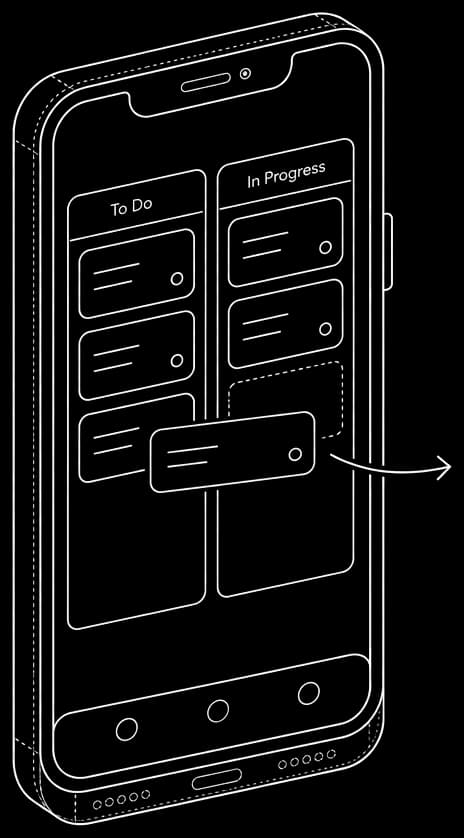
Drag a card. That's the whole tutorial.
Columns by status, tasks you drag across them. Group work into project swimlanes, or flip to a compact list view. It feels like sticky notes — because that's all you need it to.
- ✓Smooth drag-and-drop on desktop and touch
- ✓Reorder within a column, move across columns
- ✓Board view or list view, one click apart
BoardList
To do
Draft proposal
Book venue
Doing
Design invites
Done
Set the date
Order tiles before sale ends
Priority
Urgent
Due
Jun 18
Assignees
AJ
Status
In progress
Checklist2/4
invoice.pdf+2 files
Tasks
Every task holds the whole picture
Priority, status, assignees, due dates, checklists with progress, file attachments, and a rich-text description with headings, lists, and code. Open a card and everything's right there.
- ✓Five priority levels, four clear statuses
- ✓Checklists, attachments, multiple assignees
- ✓Rich-text descriptions with inline images
Collaboration
Keep the conversation on the task
Comment on any task, follow a unified activity feed, and send direct messages with real-time delivery and file sharing. No switching to Slack to ask a quick question.
- ✓Threaded comments on every task
- ✓Activity feed and inbox that keep the team in sync
- ✓Real-time direct messages with file sharing
M
Maya can you confirm the tile order before the sale ends?
2:14 PM
J
J
On it — ordering now.
2:15 PM
Activity
Aaron moved Order tiles to In progress
Jess attached invoice.pdf
Files
Renovation
Quote.pdf
Plan.doc
layout.png
Renovation
4 items
Documents
A real workspace for the rest of it
Upload and organize files in folders, preview images and PDFs inline, and write in-app documents in a familiar editor with autosave. Import .docx, export back out.
- ✓Folders, inline PDF and image previews
- ✓In-app docs with autosave
- ✓Import and export Word documents